educating-antis:

skip-is-tired:

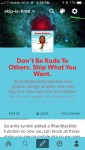
If didn’t see staff post, basically you can now officially blacklist tags within the app. Since many are mobile users here’s how to find the filter. Above is showing that it indeed works. (tagging in anti tag only for information purpose that’s it) Staff didn’t provide visual so here’s one

I didn’t realise you can now blacklist on mobile so there’s now literally no excuse now. If there’s something people don’t want to see specifically they should utilise this system. People can’t use the excuse now that they use mobile

punkandjerkmeaniloveyou:

rozf:

spookytiffany:

zymish:

barazombies:

seerofsarcasm:

grant-garcia:

Washboard — Tumblr Savior for mobile devices

Hello, Tumblr! Over the last few months I’ve been working on a project that brings keyword blacklisting to mobile devices, and it’s finally ready for the public. If you’re not familiar, Tumblr Savior is a browser extension that allows users to hide posts containing certain keywords or tags. It works great for desktops, but it can’t be used on phones or tablets, and the official Tumblr apps don’t offer any alternatives.

That’s where Washboard steps in: just sign in with Tumblr, import your blacklist from Tumblr Savior, and start browsing! Washboard also features infinite scrolling, a “Safe Mode" toggle that hides images, and a few other features that make mobile browsing as painless as possible.

Any questions or suggestions? Send me an ask or tag a post #washboard.ws and I’ll look at it as soon as possible!

SCREAMS IN HAPPINESS

YESSSSSSSSSSSSS

reblog to save a life

If it’s a mobile app where all the pictures aren’t gray squares, sign me up. That’s already better than the official app.

Hey @butterynutjob this might help you and that issue! Or anyone who wants blacklisting on your mobile devices.

This makes me so happy